
GCDEAL · SELL YOUR UNUSED NYKAA VOUCHER
Beauty plans changed?
Check your unused Nykaa gift card estimate.
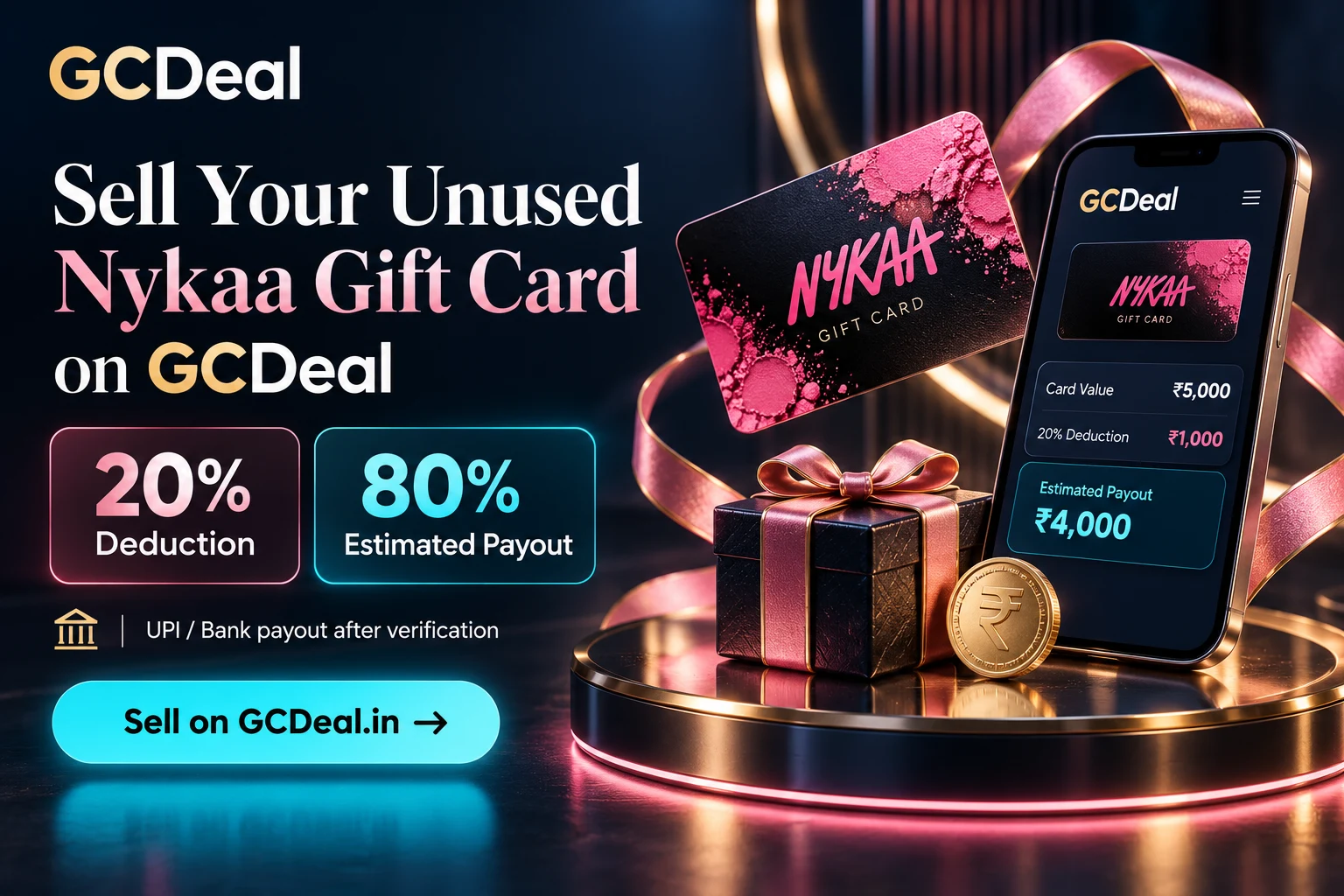
Sell your unused Nykaa Gift Card on GCDeal with 30% deduction and 70% estimated payout. Submit your details, get the card verified and receive approved payouts to your verified UPI or bank account.
30% deduction · 70% estimated payout · UPI / Bank · Payment after verification
In this guide
Sell Nykaa gift card: understand your payout estimate
A Nykaa gift card may come as a birthday surprise, a reward or a purchase you have not used. If you want to explore your options, GCDeal shows the deduction and estimate before you submit the voucher for review.
You do not need to guess what a deduction means in rupees. Review the estimate first, keep your voucher information ready and save the reference after submission. Your GCDeal account brings the review status and payout details into one place.
30% deduction. 70% estimated payout.
For a ₹5,000 Nykaa Gift Card, the displayed 30% rate means a ₹1,500 deduction and a ₹3,500 estimated payout.
The estimate is calculated from the value you enter. It becomes a payout only after the card checks and approval. Check the current form for the latest rate before submitting.
Nykaa payout examples
| Card value | 30% deduction | 70% estimate |
|---|---|---|
| ₹500 | ₹150 | ₹350 |
| ₹1,000 | ₹300 | ₹700 |
| ₹2,000 | ₹600 | ₹1,400 |
| ₹3,000 | ₹900 | ₹2,100 |
| ₹5,000 | ₹1,500 | ₹3,500 |
| ₹10,000 | ₹3,000 | ₹7,000 |
These figures illustrate the deduction; they do not promise acceptance for a particular denomination or card. Review the live Gift Card Rates and select your exact voucher on the Sell Gift Card page.
Sell Nykaa gift card: a practical checklist
Check whether your voucher is actually a Nykaa Gift Card rather than a campaign coupon, refund credit or promotional code. Keeping the product type accurate helps the team review the submission.
- Confirm the card’s actual available value and expiry date.
- Keep the claim code and any applicable PIN private.
- Have your purchase confirmation or gifting record available if requested.
- Use accurate contact information and your intended beneficiary details.
- Check the current requirements for your exact voucher before entering a submission.
Sell Nykaa gift card: submission and verification
Sell Nykaa gift card — 01 · Select the right card
Open the Sell Gift Card page and choose Nykaa Gift Card. Select the precise category rather than another brand or product with a similar name. The displayed estimate should match the value you plan to submit.
Sell Nykaa gift card — 02 · Enter accurate voucher details
Provide the requested code, value, expiry and PIN where applicable. Copy the details carefully from the voucher and check for missing characters. Do not invent a PIN or provide an account password in its place.
Sell Nykaa gift card — 03 · Review the numbers
Check the 30% deduction and 70% estimated payout before submitting. Make sure the card amount is accurate; an incorrect amount can lead to a different verified value or an unsuccessful review.
Sell Nykaa gift card — 04 · Save your Gift Card ID
After submission, keep the reference shown by GCDeal. The team reviews the information and may ask for supporting records. Your reference helps you find the listing and ask for an update without sending the secret code again.
Sell Nykaa gift card — 05 · Receive an approved payout
Check your saved bank or UPI details. Once verification, approval and beneficiary checks are complete, GCDeal processes the payout using the displayed deduction. The current flow does not require a separate final-offer acceptance step.
Sell Nykaa gift card: UPI and bank payout
GCDeal targets payout within 30 minutes after successful verification and required checks. This is the payout target after review, not a promise of an immediate transfer when you press Submit. Review questions, incorrect beneficiary details or payment-provider processing can affect the time taken.
Keep your beneficiary name, account number, IFSC or UPI ID accurate in Payout Details. You do not need to enter a UPI PIN, banking password or SMS OTP to receive a transfer. Read the verification and payout guide for the complete process.
Sell Nykaa gift card: understand listing updates
Sign in to your GCDeal account and open My Listings or tracking. Follow the status associated with your Gift Card ID instead of submitting the same voucher repeatedly. Review or Processing means work is underway; Validated and Paid are different stages. If payment is recorded, check the amount and transfer reference against your beneficiary account.
Sell Nykaa gift card: protect your voucher details
A redeemable gift card code is sensitive. Use the dedicated submission fields when you intend to submit your voucher. Do not post codes or PINs in a public review, social comment or ordinary support message.
For an enquiry, share the brand, Gift Card ID where available and a short description. Contact support@gcdeal.in or use GCDeal support.
Avoid these common submission mistakes
- Selecting the wrong brand or gift card type.
- Entering a face value that does not match the voucher’s available value.
- Submitting an expired or already claimed code as unused.
- Mistyping a code character, PIN, date or beneficiary detail.
- Treating an estimate as confirmation that the card has already been approved.
Sell Nykaa gift card: choose the right next step
Before you sell Nykaa gift card on GCDeal, compare the estimated payout with the value of a purchase you actually planned. If the card would replace spending you already intended, using it may preserve more of the face value. If you have no planned purchase, start with the displayed estimate and the card’s remaining validity. The right decision depends on your circumstances rather than the printed amount alone.
Check the precise Nykaa gift-card product and its eligible redemption channels. A beauty shopping coupon, wallet reward or refund benefit is not automatically the same product. If the gift was intended for a specific Nykaa platform, keep that detail with the original record rather than assuming every related store accepts it.
Do not buy a new voucher simply because a selling guide gives an estimated payout. A submission is reviewed individually and the calculation is not a promise of acceptance. Keep the card’s ownership and purchase record clear. When a detail is uncertain, ask a specific question first instead of submitting an inaccurate description just to complete the form.
Sell Nykaa gift card: read your estimate in rupees
At the displayed 30% deduction, a verified eligible value of ₹2,000 produces a deduction of ₹600 and an estimated payout of ₹1400. For ₹5,000, the deduction is ₹1500 and the estimate is ₹3500. These figures show the arithmetic; they do not establish that every denomination is currently accepted.
Use the actual available unused value when comparing examples. A voucher originally issued for a larger amount is not the same as a fully unused card if part of it has already been claimed or spent. Never enter the original face value as though it were the remaining eligible value. Ask support how to describe a product whose history is unclear.
Review the live deduction at the time of submission. A saved screenshot or an old promotional message may describe an earlier rate. If the form and a guide appear different, clarify the current product category and displayed amount before submitting. Keep your reference so the original estimate can be matched to the eventual review outcome.
Prepare a clear record before you sell Nykaa gift card
Have the original gift-card email, purchase confirmation or gifting record accessible. You may need it to identify the product, value or issue date. Keep the record private and readable. A supporting document is useful only when it relates to the actual card being reviewed; a cropped image that hides essential context may require clarification.
Copy the voucher details carefully from the original source. Watch for spaces, line breaks and similar-looking letters or numbers. Enter a PIN only when the card includes one and the form asks for it. Never replace a missing voucher PIN with a banking PIN, an account password or a guessed number.
Check expiry against the actual voucher record rather than the date a forwarded message reached you. Receiving an old gift recently does not restart its validity. If the issue or expiry date cannot be established, ask the original provider or support how to proceed. Do not invent a date to make a submission appear eligible.
Sell Nykaa gift card: track your submission securely
After you sell Nykaa gift card through a submission request, use the Gift Card ID to follow the review. Keep one short record containing the brand, declared value, submission date, estimate and reference. Store secret voucher details separately, and avoid putting codes in a shared note or public screenshot.
Under Review and Processing describe work in progress. They do not confirm that a payment has already reached your account. Validated and Paid also represent different stages. Read the latest listing information and any request for clarification before taking another action. A repeated submission can make the record harder to follow.
If you have several cards, match each reference to the correct brand and value. Do not assume two cards submitted on the same day will finish together. When contacting support, identify the existing listing rather than asking about an unspecified gift card. This helps keep the enquiry tied to the right review and prevents unnecessary disclosure.
Check the beneficiary before approved payout
The voucher review and the payment destination are separate parts of the process. Confirm your saved UPI ID or bank beneficiary details before payout processing. Read them character by character, especially if you recently changed accounts. Follow the verification requirements shown in your account rather than relying on a nickname in a messaging app.
Once payment is recorded, match the listed amount and transfer reference to your bank or payment-app history. Check the intended beneficiary account and the relevant date. An email update helps with tracking, but it should be read alongside the actual account record when you are confirming receipt.
You do not need to disclose a UPI PIN, banking password or SMS OTP to receive a transfer. If someone contacts you outside the usual process and asks for those details, verify the request through GCDeal’s published support route. Do not provide remote access to a device just because a contact promises faster payout.
Resolve a review question with the right information
If the status seems unchanged, first check whether more information was requested. Review the saved contact address and the details on the existing listing. Describe the issue using your Gift Card ID instead of submitting the same voucher again or posting its full code in a public message.
If a submission is rejected, read the stated reason. A wrong product category requires a different correction from a missing document, an expired voucher or a code already claimed. Repeating the original entry will not resolve the underlying mismatch. Ask which detail needs clarification and keep supporting records available.
A useful enquiry is: “My Gift Card ID is [reference]. The product is [exact name], the value is [amount], and the current status is [status]. Please clarify [specific question].” Replace the placeholders with your own information. Leave out passwords, OTPs and secret voucher details from an ordinary support message.
Sell Nykaa gift card: keep a useful completion record
When the listing is completed, record the final status, payout amount and payment reference beside your original estimate. This lets you understand the outcome without repeatedly opening messages containing redeemable information. If you share feedback, describe the service experience rather than publishing a voucher code or beneficiary details.
For a payment enquiry, first check that you are looking at the account saved for that submission. If the transfer still cannot be identified, provide the existing reference and explain what you checked. Avoid treating every credit received on the same date as one combined settlement when several listings are involved.
Return to the live form before any future submission. The next voucher may have a different product type, expiry or acceptance requirement even when the branding looks familiar. Reusing an old estimate without checking the new card can create an avoidable error. Accurate information is more helpful than rushing through the fields.
Brand terms and related GCDeal guides
Read the Nykaa gift-card terms supplied by the issuer or official gift-card service before deciding how to deal with your voucher. GCDeal’s independent review process does not override issuer conditions or establish brand endorsement. Use the exact product terms rather than assuming every gift, refund credit or account benefit is transferable.
You can also review the Amazon and Flipkart comparison guide for an explanation of platform differences and payout arithmetic. To explore buying instead, use the GCDeal buying page and review its full checkout price. Buying prices and selling deductions describe different transactions.

Nykaa gift card selling FAQs
What is the deduction for a Nykaa Gift Card?
GCDeal currently displays 30% deduction for this category. That gives a 70% estimated payout before verification. Check the live form for any rate changes.
How much could I receive for a ₹1,000 Nykaa Gift Card?
At the displayed 30% rate, the deduction is ₹300 and the estimate is ₹700. This is an illustration; the submission still needs verification and approval.
Can I receive the payout through UPI?
Approved payouts can be processed to your verified UPI or bank details. Double-check the saved beneficiary information before payout processing.
Will I receive money immediately after submitting?
Payout follows successful verification and the required checks. GCDeal’s stated target is within 30 minutes after those checks; the initial submission itself does not trigger a guaranteed instant transfer.
Do I need a PIN?
Enter a PIN only if your actual gift card includes one and the form requests it. Never use your banking PIN, password or OTP as a substitute.
Can I submit a used or expired gift card?
Do not submit a used, claimed or expired voucher as a genuine unused card. Enter accurate information and ask support if you are uncertain about the product or balance.
Do I need to accept a separate final offer?
The current GCDeal selling flow uses the displayed deduction. No separate final-offer acceptance step is required; review and payment checks still apply.
Where do I check the latest status?
Sign in, open My Listings or tracking and find your Gift Card ID. For an unclear update, contact support with that reference and a short description.
Does every card need 30 days of validity remaining?
Check the current requirements for your exact voucher. This guide does not introduce a blanket 30-day rule or a fixed one-year validity promise; use the expiry on the actual card.
Sell your unused Nykaa Gift Card today.
30% deduction. 70% estimated payout. Fast UPI or bank payment after verification. Check your estimate, submit accurate details and follow the next steps in your GCDeal account.
Rates checked against GCDeal’s selling form on 2 November 2026. Estimates and payout targets are subject to successful verification and approval. GCDeal is independent of the brands named in this guide.